
Verification of Eligibility Application
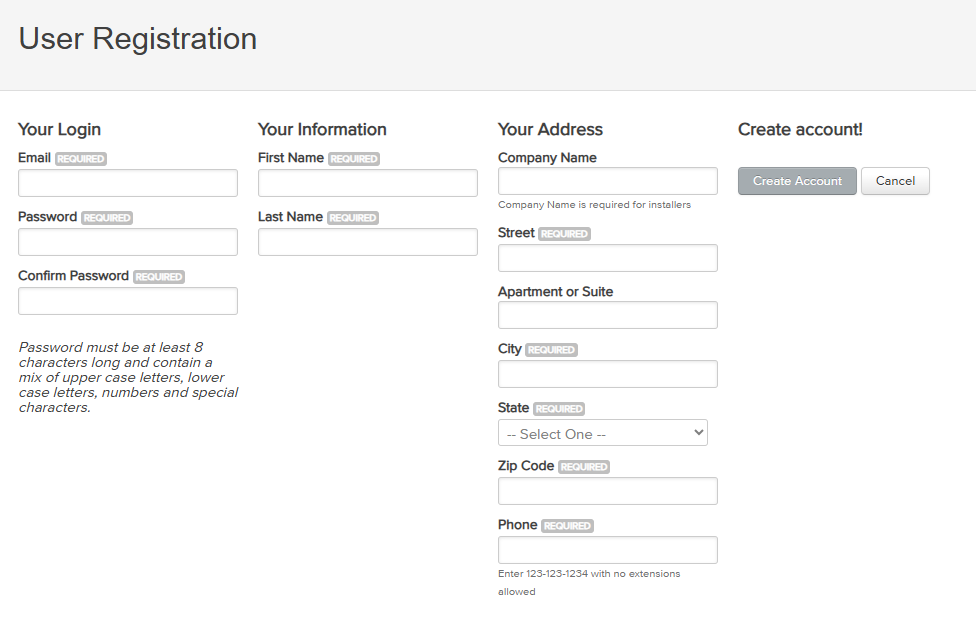
Step 1:
Create an account on the Clean Heat Rhode Island application portal. Activate your account by clicking the link in the email you receive. Once your account is activated, log into the application portal and select your role as a homeowner or installer.
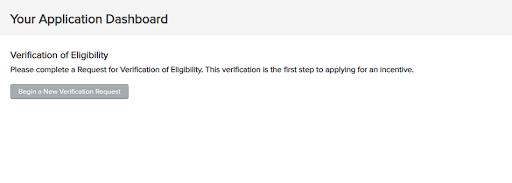
Step 2:
Begin a New Verification Request
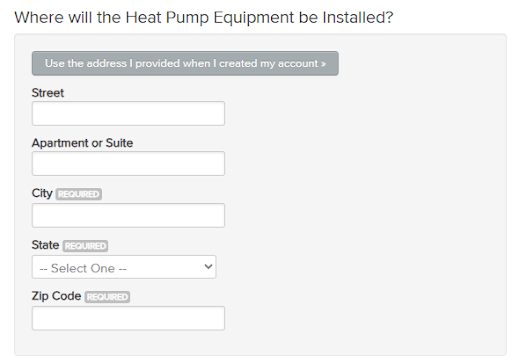
Step 3:
Enter the address of where the equipment will be installed.
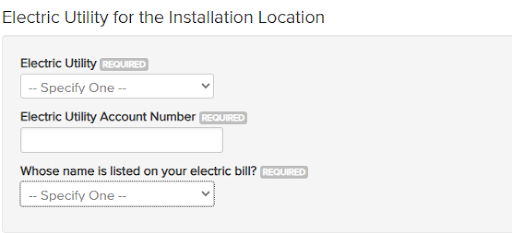
Step 3 (continued):
Enter the utility information for the installation address.
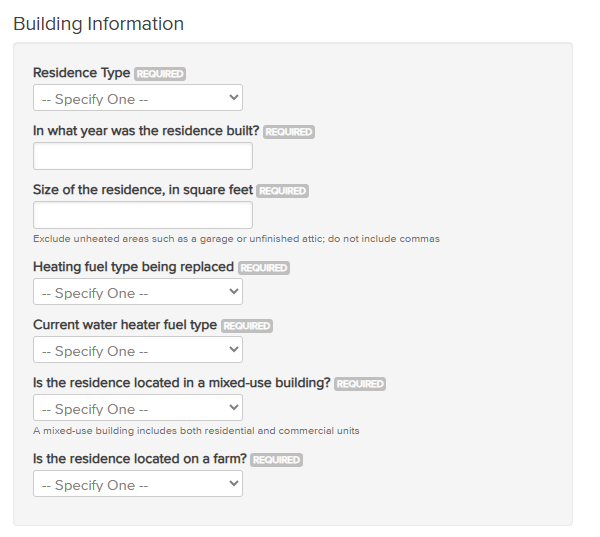
Step 3 (continued):
Enter the building information.

Step 3 (continued):
If your home was built after 2000 the Weatherization block will be blank and you do not need to answer any additional weatherization questions.
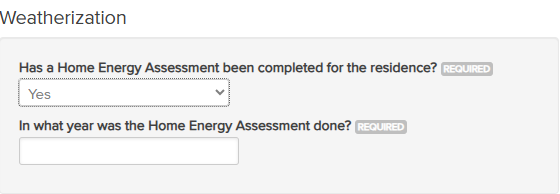
Step 3 (continued):
If your home was built before 2000 tell us when your most recent Home Energy Assessment took place.

Step 3 (continued):
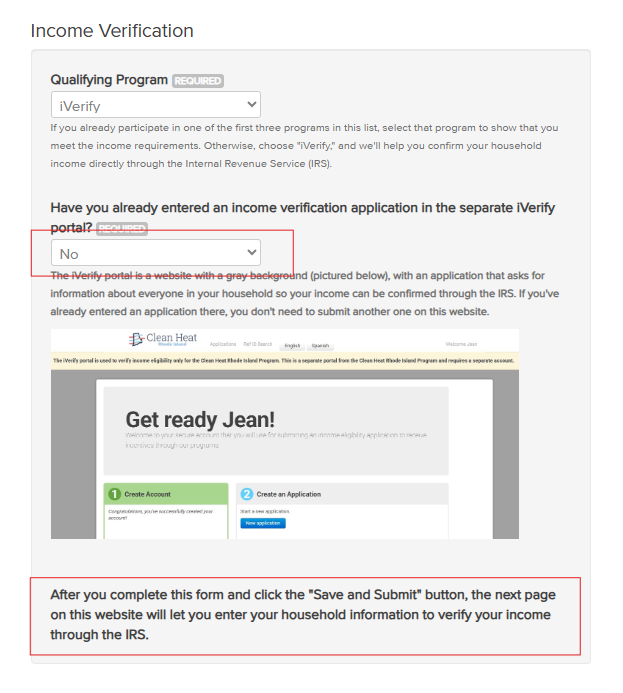
Select the income qualifying program you are using.
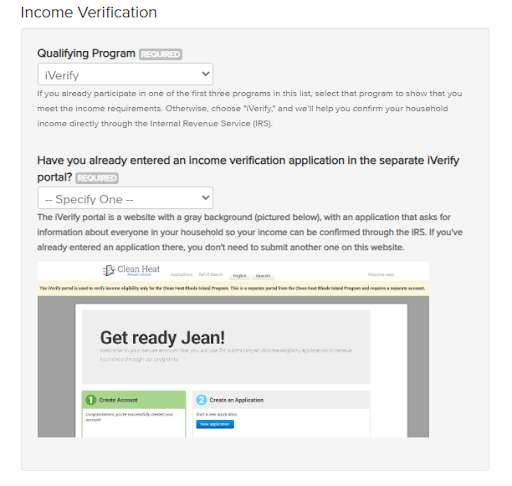
Step 3 (continued):
If you choose iVerify, you will be asked if you have already entered an income verification application in the separate iVerify portal.
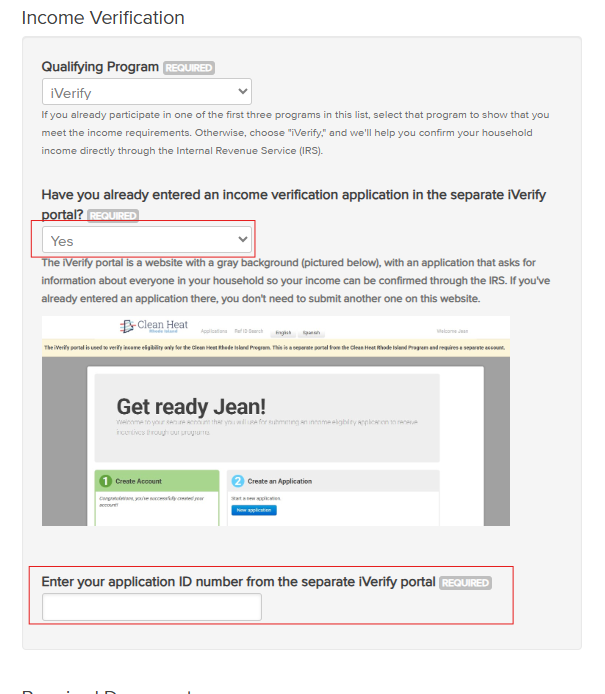
Step 3 (continued):
If you select yes, you will be prompted to enter your application ID number from the iVerify portal.
Step 3 (continued):
If you select no, you will enter your household information to verify your income through the IRS after completing the form and clicking “Save and Submit”
Step 3 (continued):
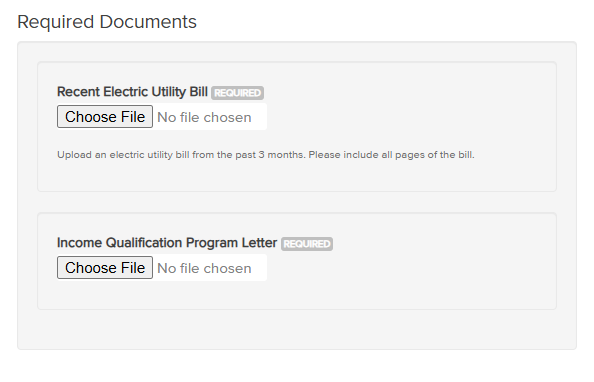
Required Documents
- All applications require a recent copy of your electric utility bill.
- If you have selected SNAP or LIHEAP as your income qualifying program you will be required to upload your proof of participation in the program.
Step 3 (continued):
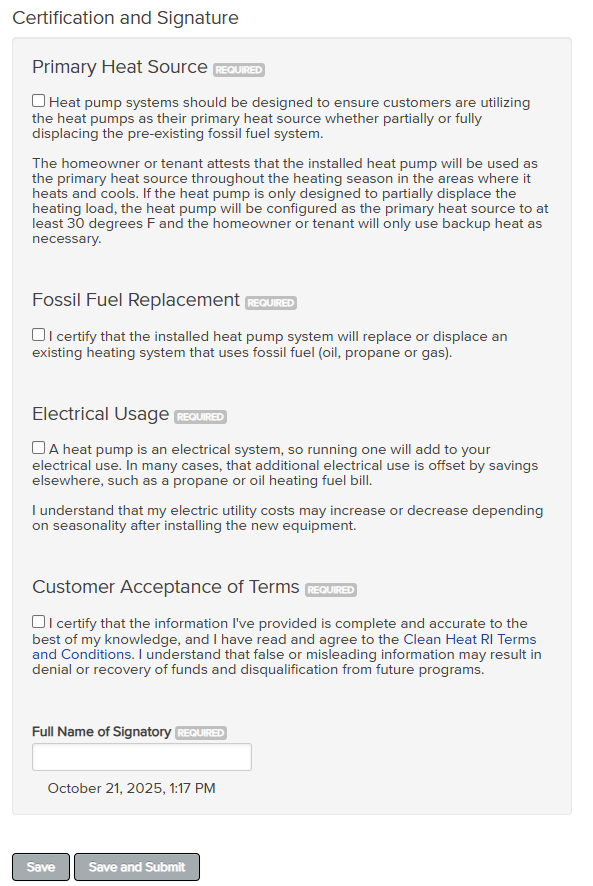
Certification and Signature
- Four attestations that must be acknowledged
- Enter your name as your electronic signature
Step 4:
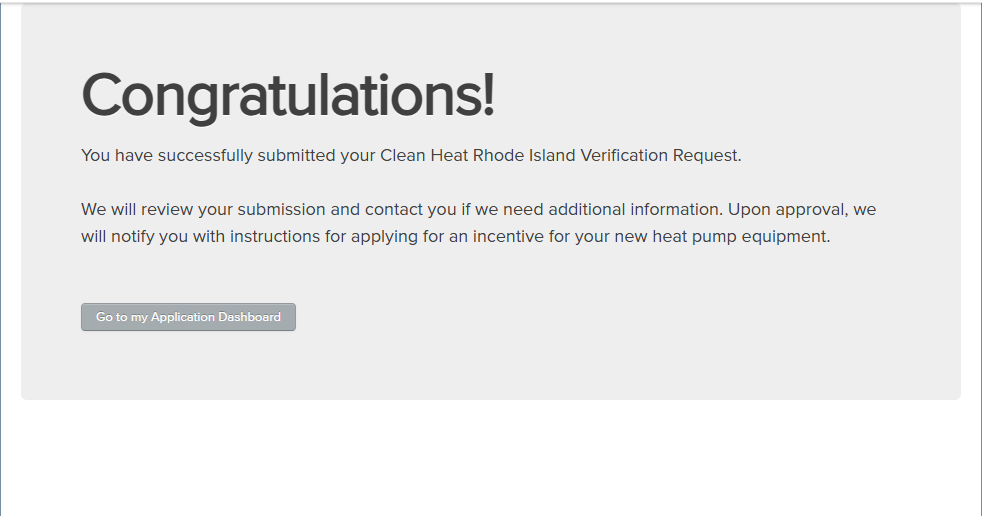
Submit your Verification of Eligibility application. Your application will be reviewed by the program administrator. If the program administrator has any questions regarding your application, you will receive the request via email. You will also receive an email when your application is approved. Once your application is approved you will be able to start a rebate application.
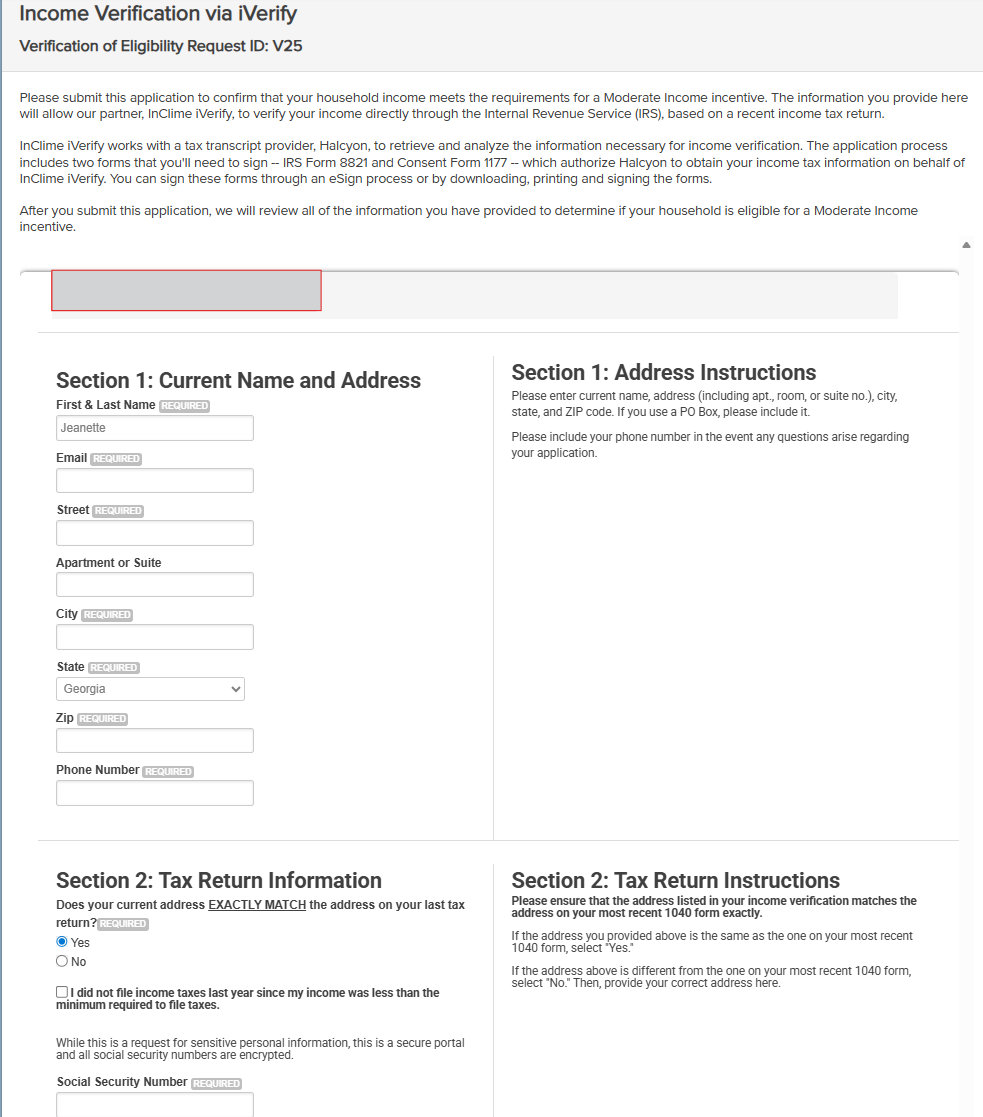
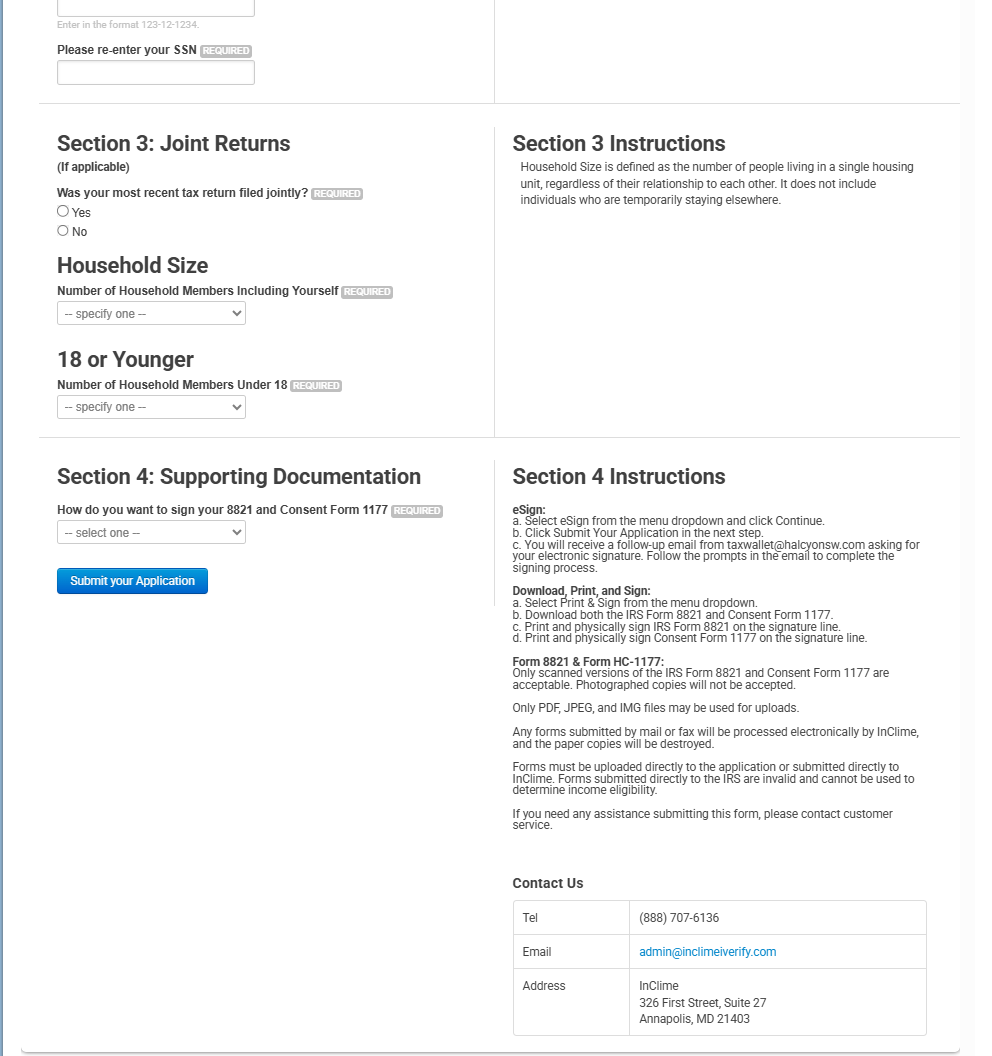
Step 5: iVerify Income Verification
If you selected iVerify for income verification, and selected “No” to the question “Have you already entered an income verification application in the separate iVerify portal?” complete the iVerify application.