
Installer Submitted Applications
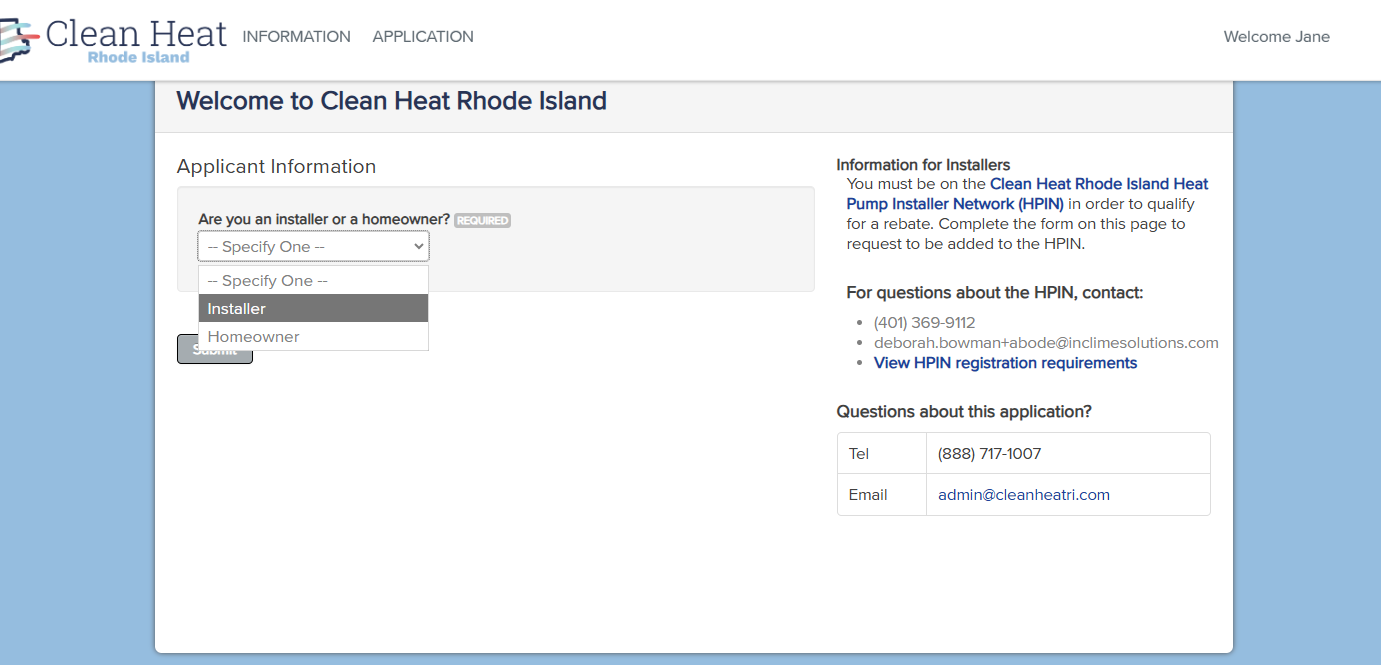
Create an account if your company does not already have one. Please note: Only one Installer account is permitted per installation company. The first time you log in you will need to select you are an “Installer”
Part 1
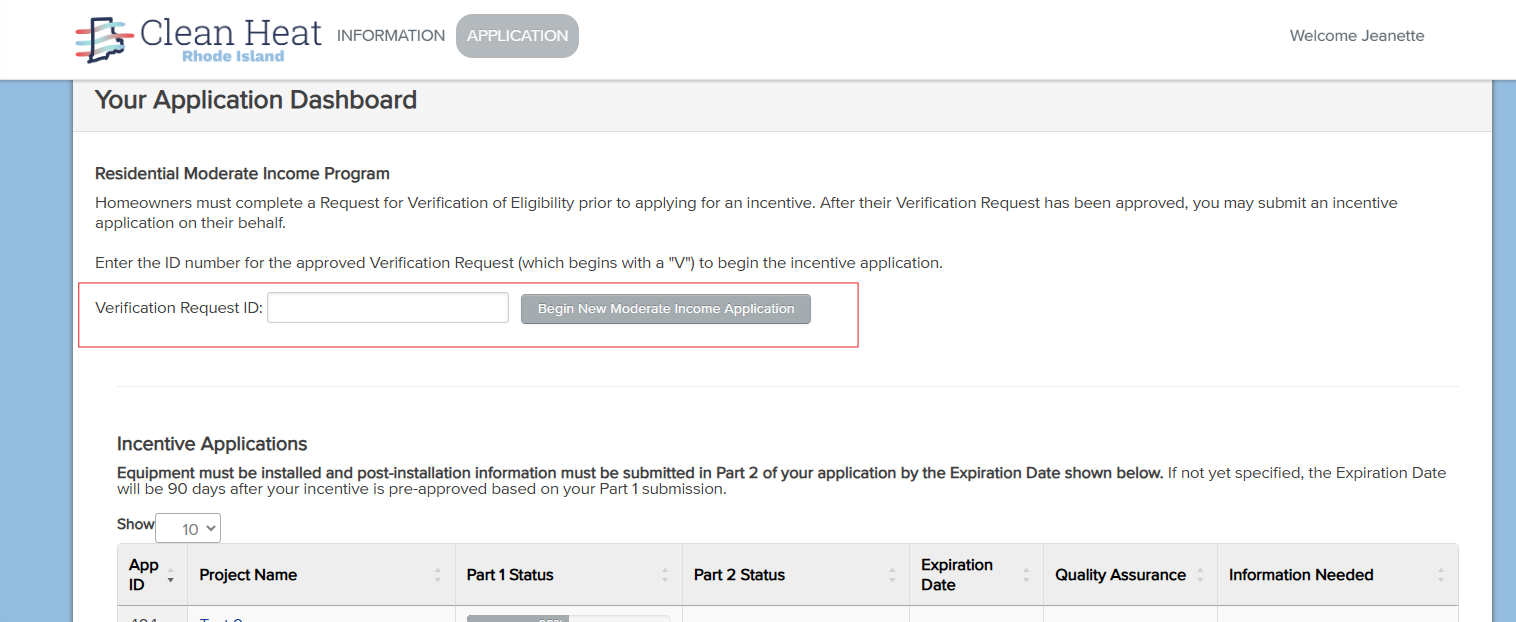
Homeowners are required to complete a Verification of Eligibility before a Rebate Application can be started by the Installer. This portion of the application verifies their home has been weatherized, they meet the income threshold, and they are displacing fossil fuels.
The Verification of Eligibility will have an ID number that starts with V and will be provided to you by the customer. Once the Verification of Eligibility has been approved you will be able to access their information to begin a Rebate Application.
Under Your Application Dashboard, you will see Residential Moderate Income Program and Verification Request ID:
Enter the customer’s Verification of Eligibility number and click Begin New Moderate Income Application.
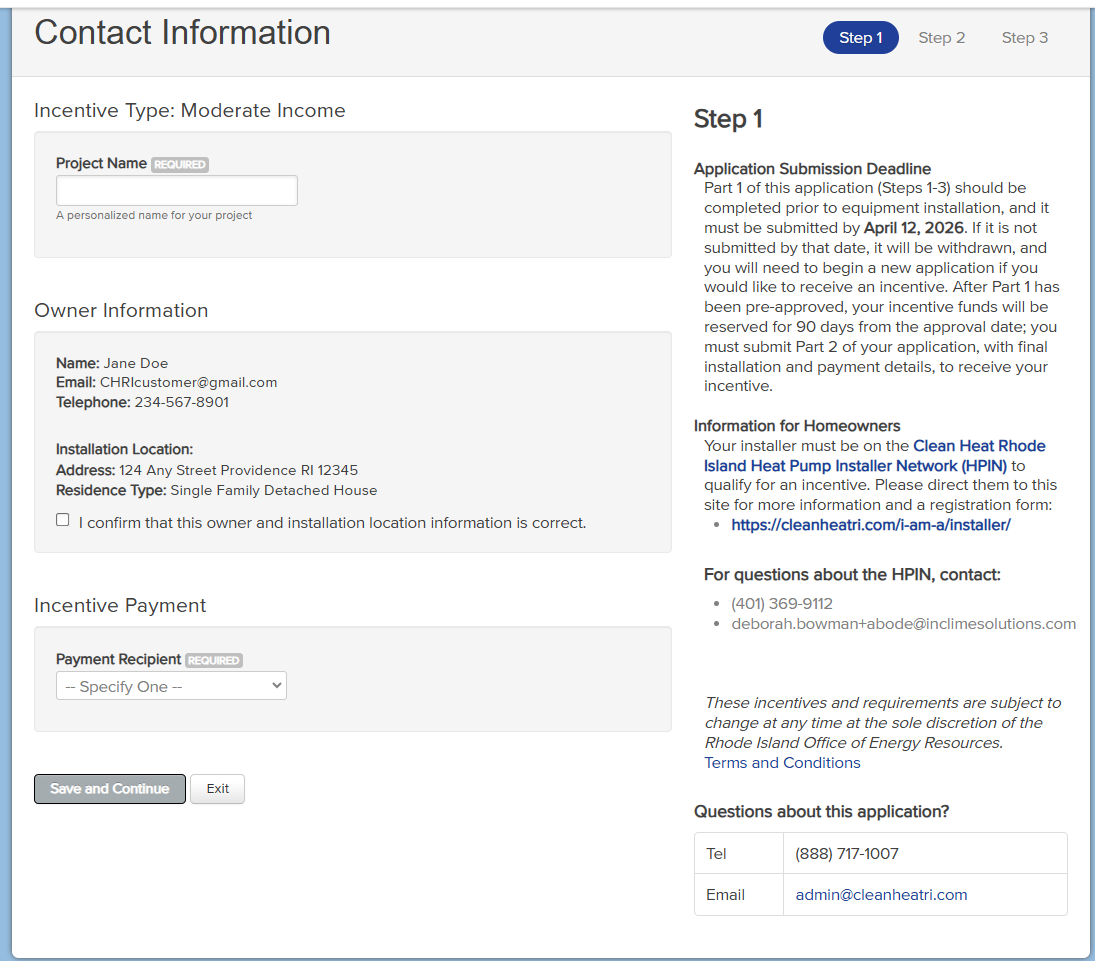
Step 1:
Project Name: Name the application to enable easy identification between your applications.
Owner Information: Confirm the customer’s information. If the information displayed does not match your customer you have the incorrect Verification of Eligibility number.
Incentive Payment: Choose the installer or the homeowner as the payment recipient. If the installer is chosen please note the proposal or final invoice must indicate the incentive is going to the installer, include the incentive amount, and be signed by the customer in acknowledgement.
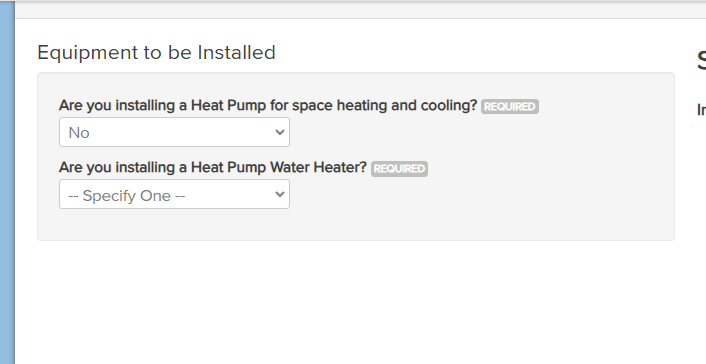
Step 2:
Select the equipment you intend to install and enter the indicated information about the system.
Step 3:
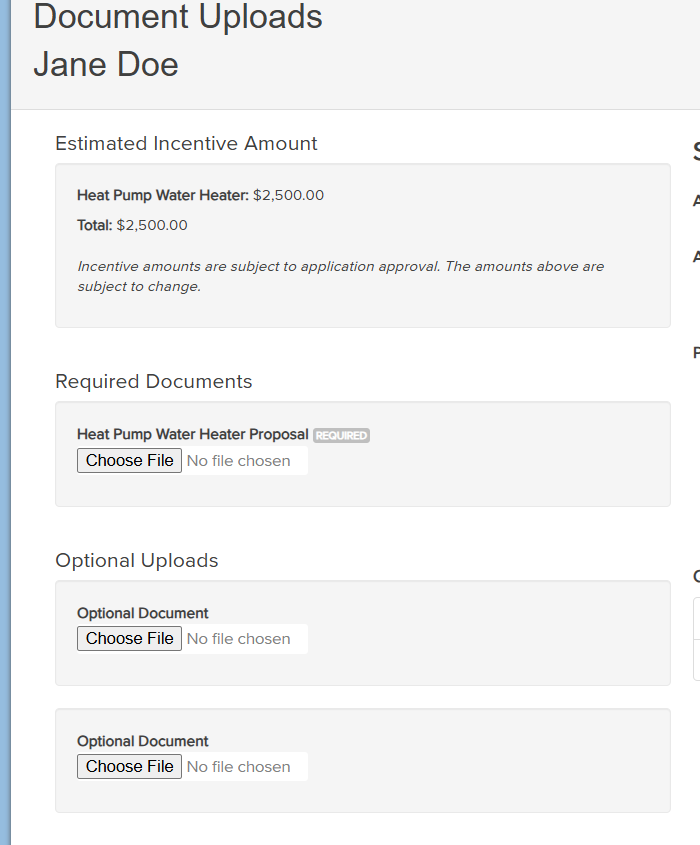
- View the estimated incentive amount.
- Upload your equipment proposal.
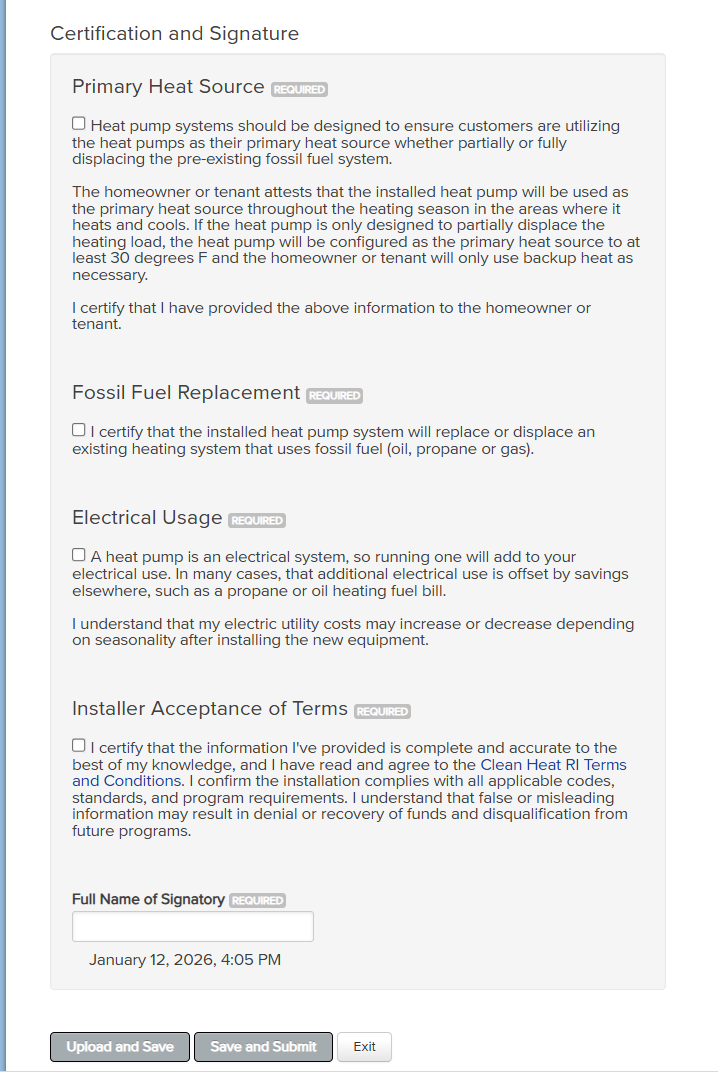
- Complete the attestations.
Click Save and Submit
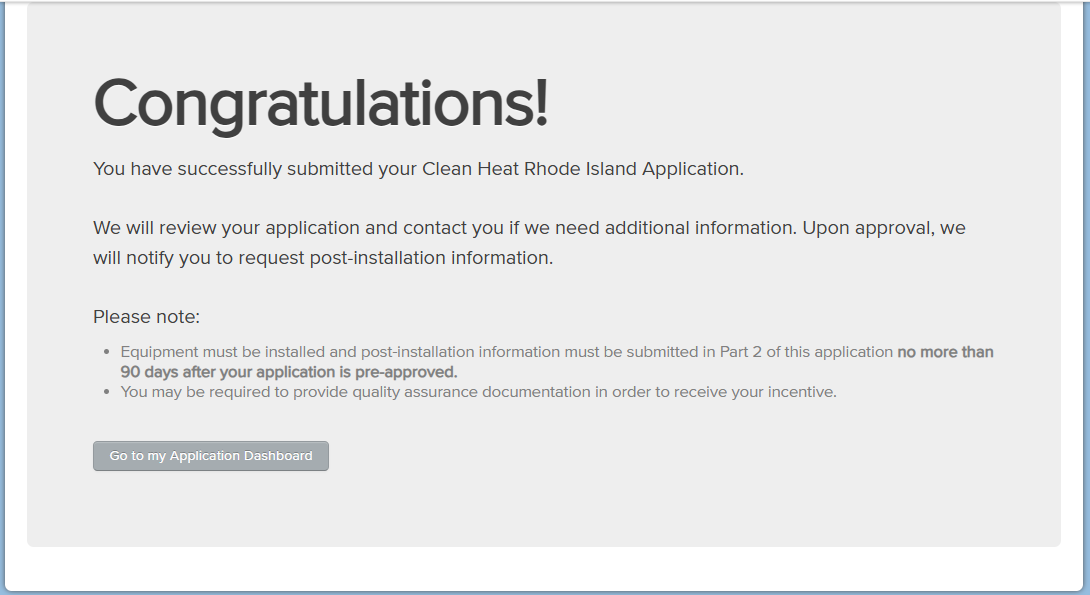
- You will see this screen if you successfully submitted your application.
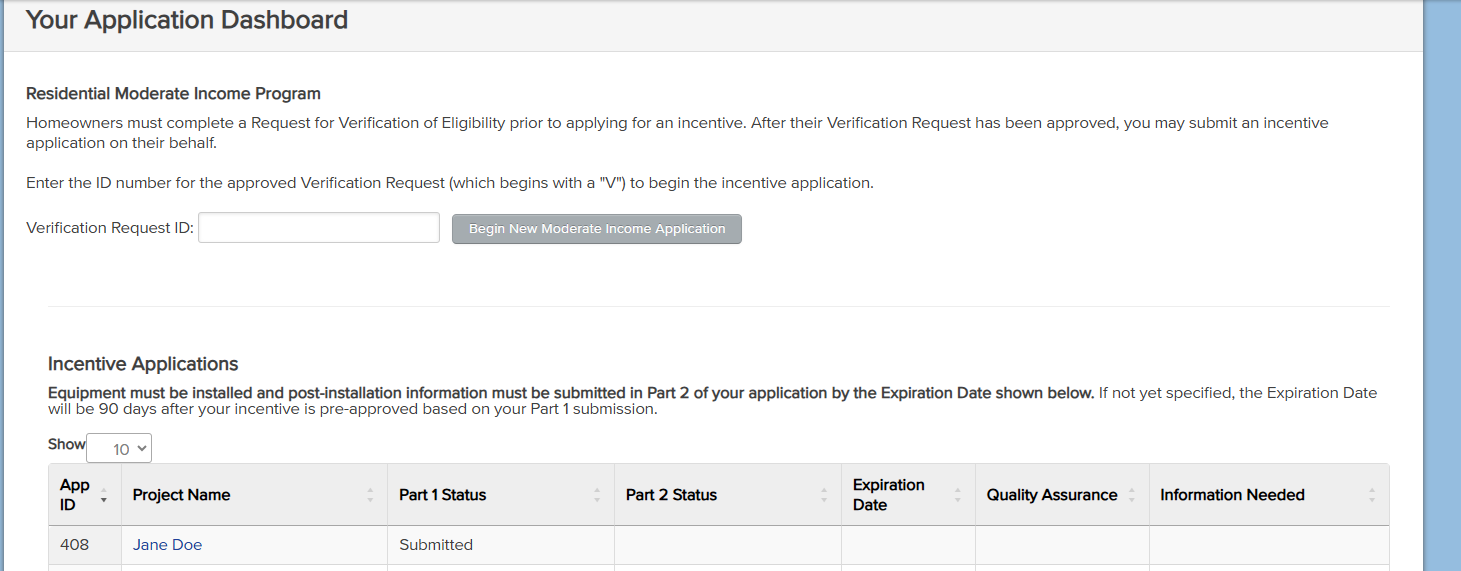
Your Application Dashboard will show all of your applications with their status.
Part 2
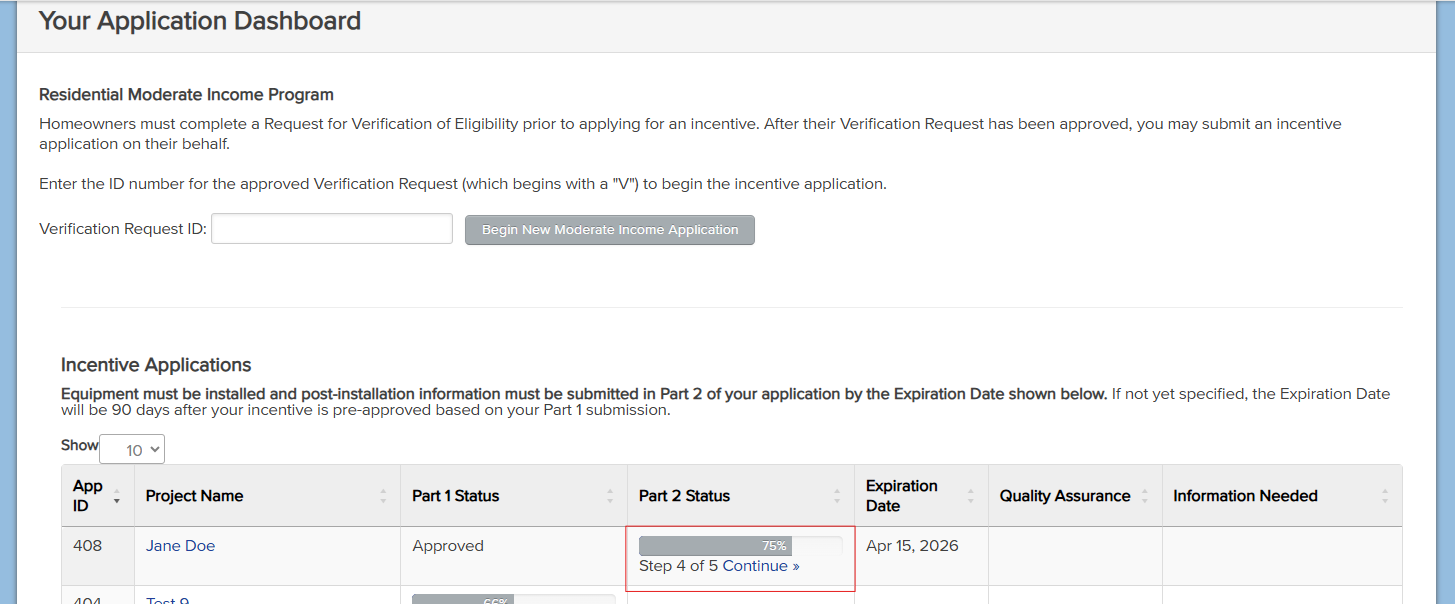
Once Part 1 of the application is approved and installation has been completed, you will start Part 2 of the application by clicking on ‘Continue’ under Part 2 Status.
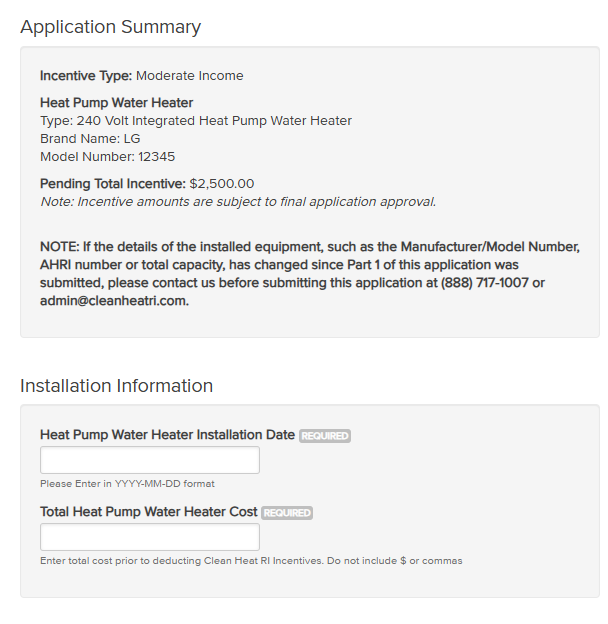
Step 4:
- Verify the equipment installed and the pending rebate amount are correct
- Enter the equipment installation date
- Enter the final equipment cost.
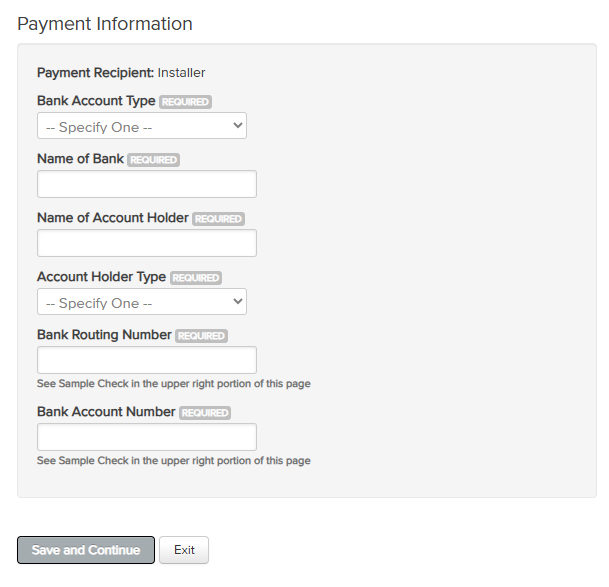
Enter the Payment Information, then click Save and Continue
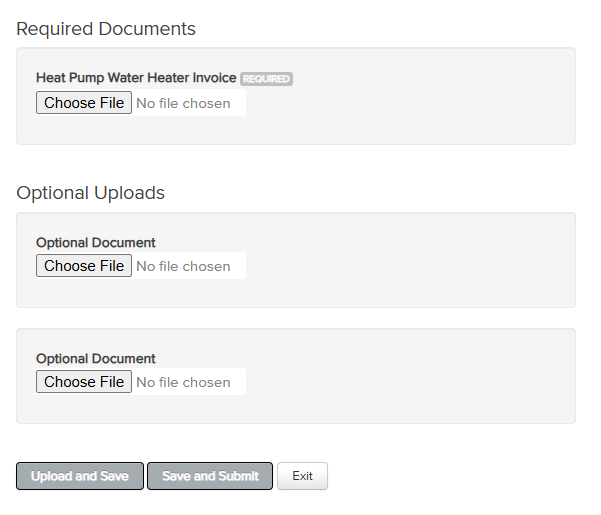
Step 5
- Upload any Required Documents.
- This will include the final, paid in full invoice for the equipment installed.
- If the rebate is going to the installer the invoice must include a line item deduction for the amount of the rebate and be signed by the homeowner.
- If the invoice includes a heat pump and a heat pump water heater the cost for each system must be indicated.
- If the invoice includes costs not incentivized (furnace, electrical upgrade, etc.) those costs must be broken out in the invoice and are not included in the total equipment cost on the application.
- If a heat pump was installed, a picture of the outdoor model number plate will be required.
- Click Save and Submit
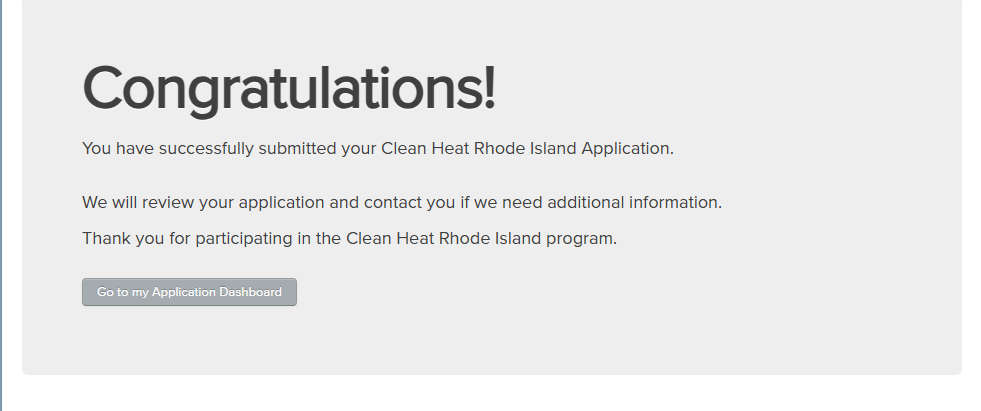
If your application was successfully submitted you will see this screen:
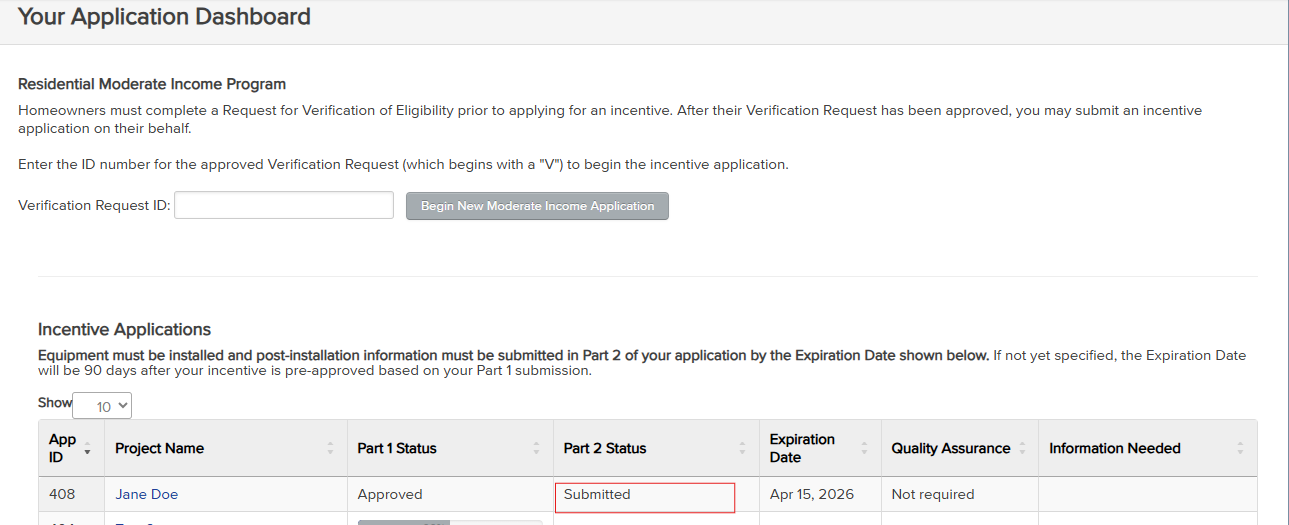
Your application dashboard will show an updated status of Part 2 Submitted.
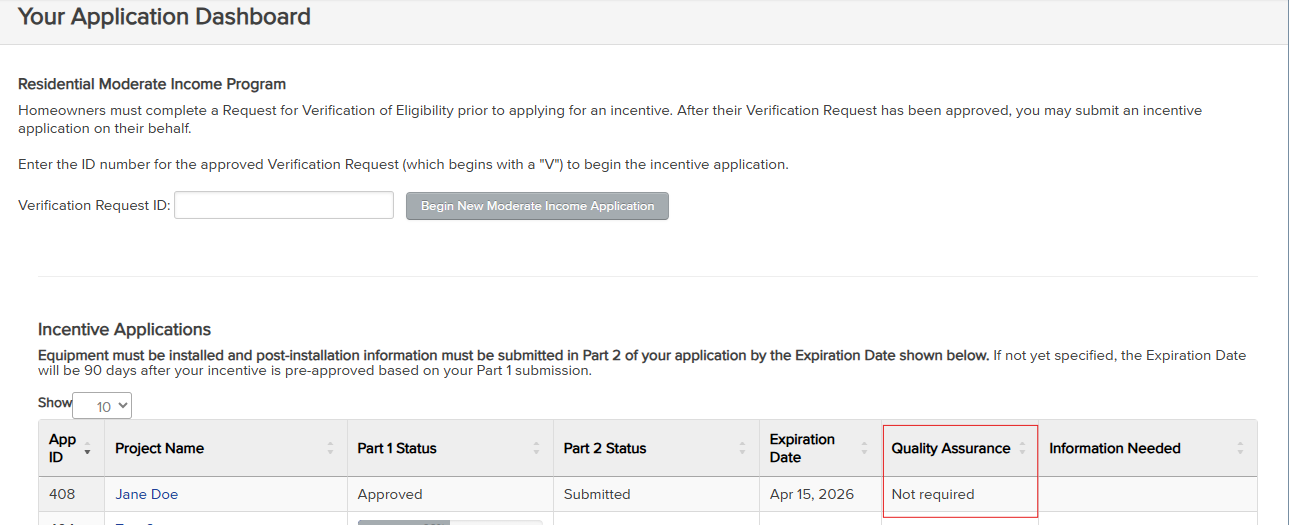
If the application is selected for a Quality Assurance check you will see that under the Quality Assurance column and there will be a link to complete the form.